2024-2025
雙和醫院:設計部門工單系統
查看 Demo Duration 1 Year
My Role Designer-Developer (Side Project)
Responsibility 全端開發、使用者體驗研究
Company 衛生福利部雙和醫院(委託臺北醫學大學興建經營)
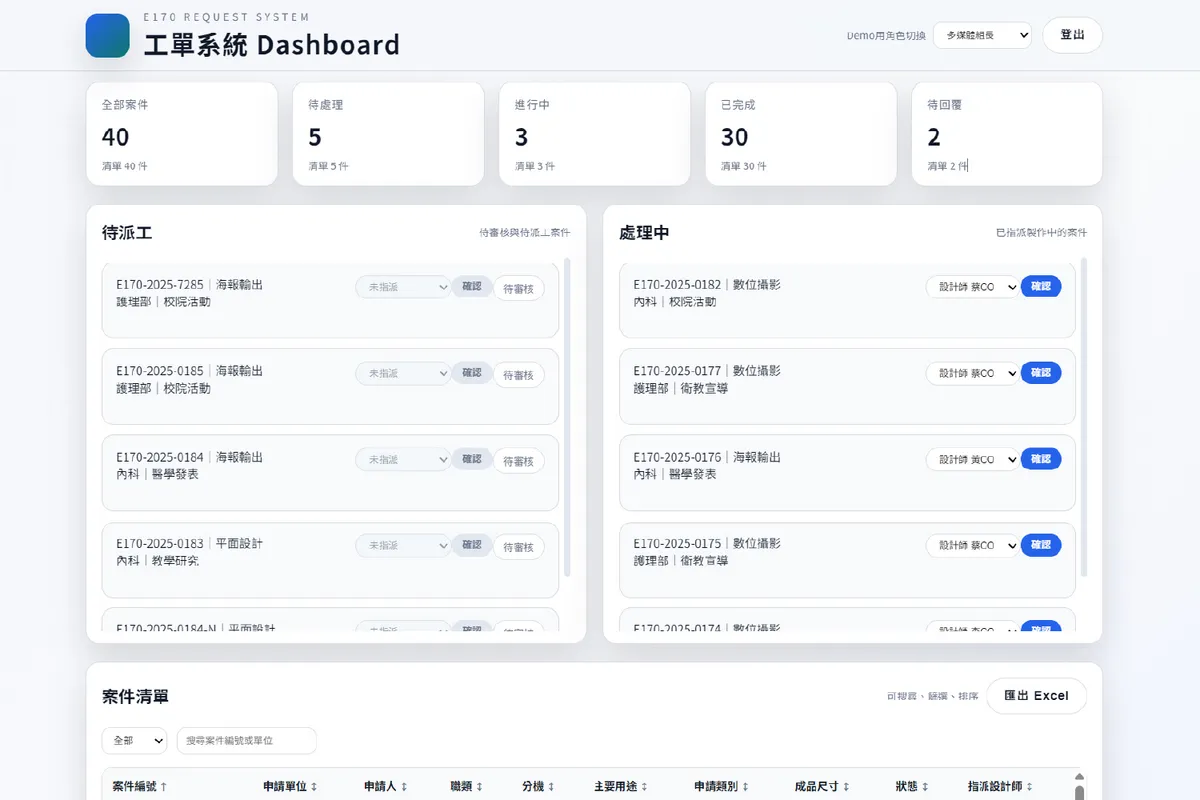
Overview
A role-based dashboard for managing hospital design requests, enabling applicants, approvers, and the design team to collaborate with clear workflow stages and real-time status visibility.
Background
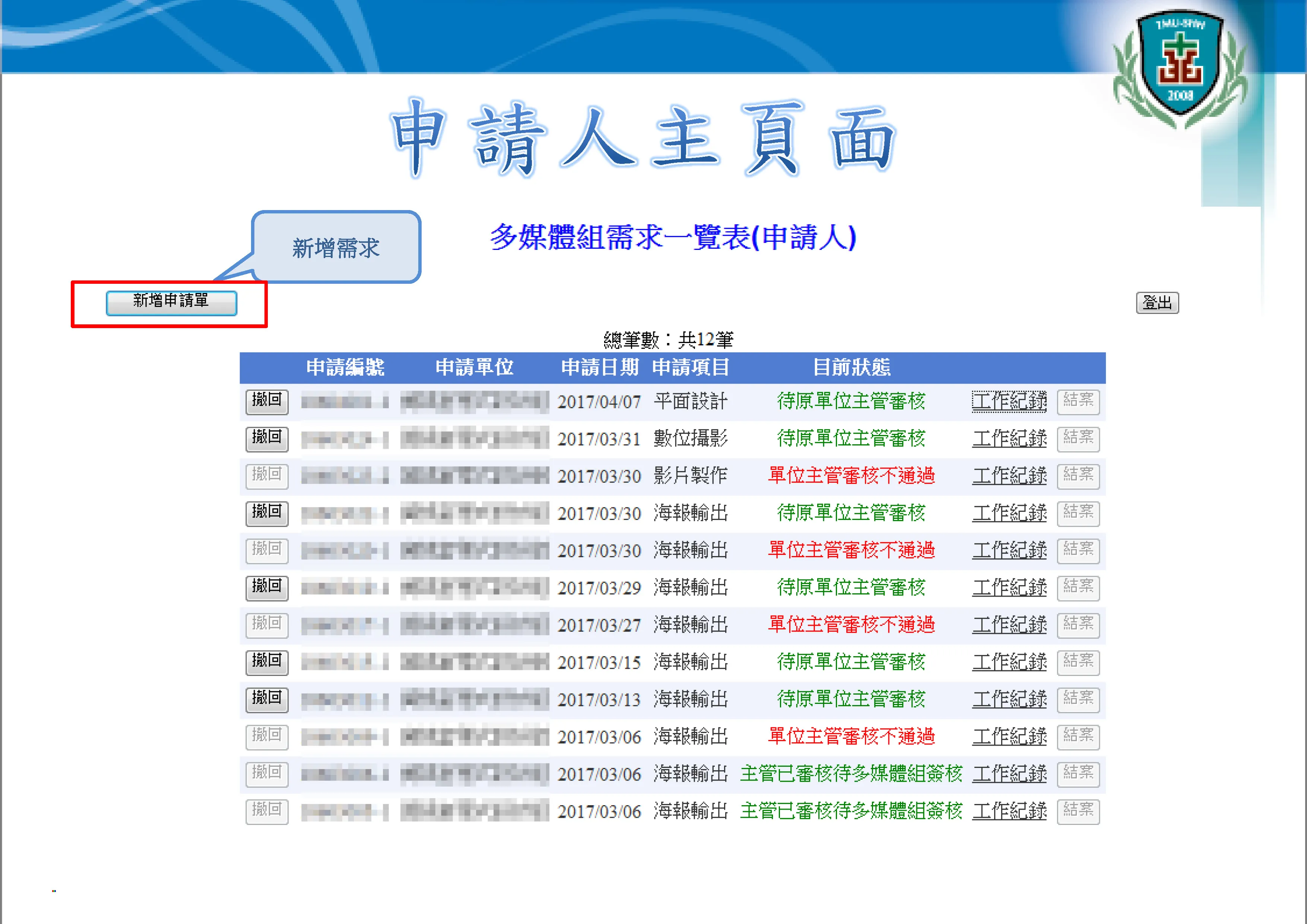
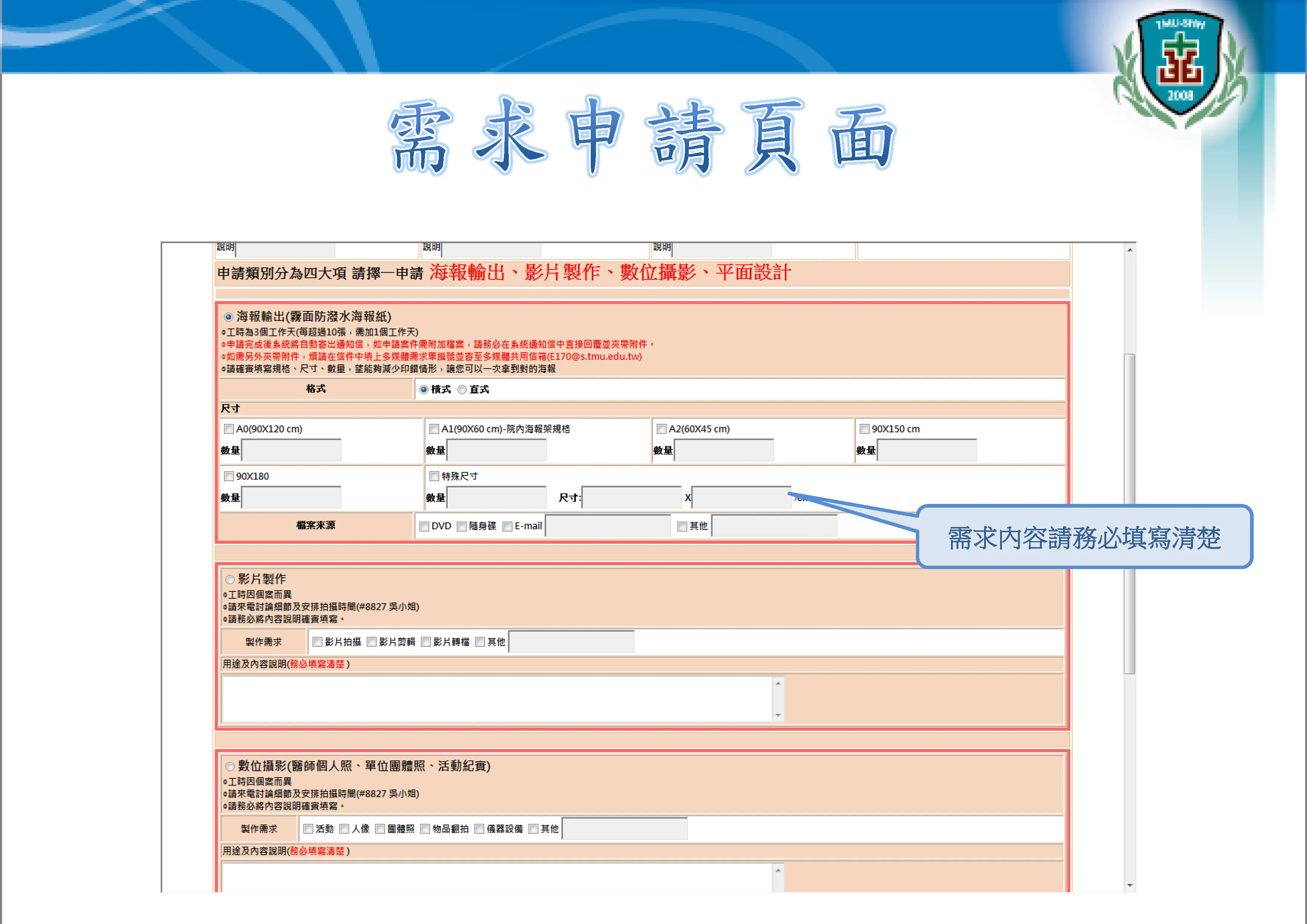
The existing ticketing system had several issues after years of use:
- Unintuitive user interface
- No dashboard for quick task status and quantity overview
- Inability to directly edit or delete individual records
- Poorly defined permissions, making maintenance difficult
This project aimed to address and overhaul these pain points in one go.
Stack
Built with Vibe Coding for full-stack integration, utilizing Next.js App Router for server and client component separation, enhancing performance and development efficiency.
- Next.js 14 (App Router)
- TypeScript
- Tailwind CSS
- Prisma ORM
- PostgreSQL
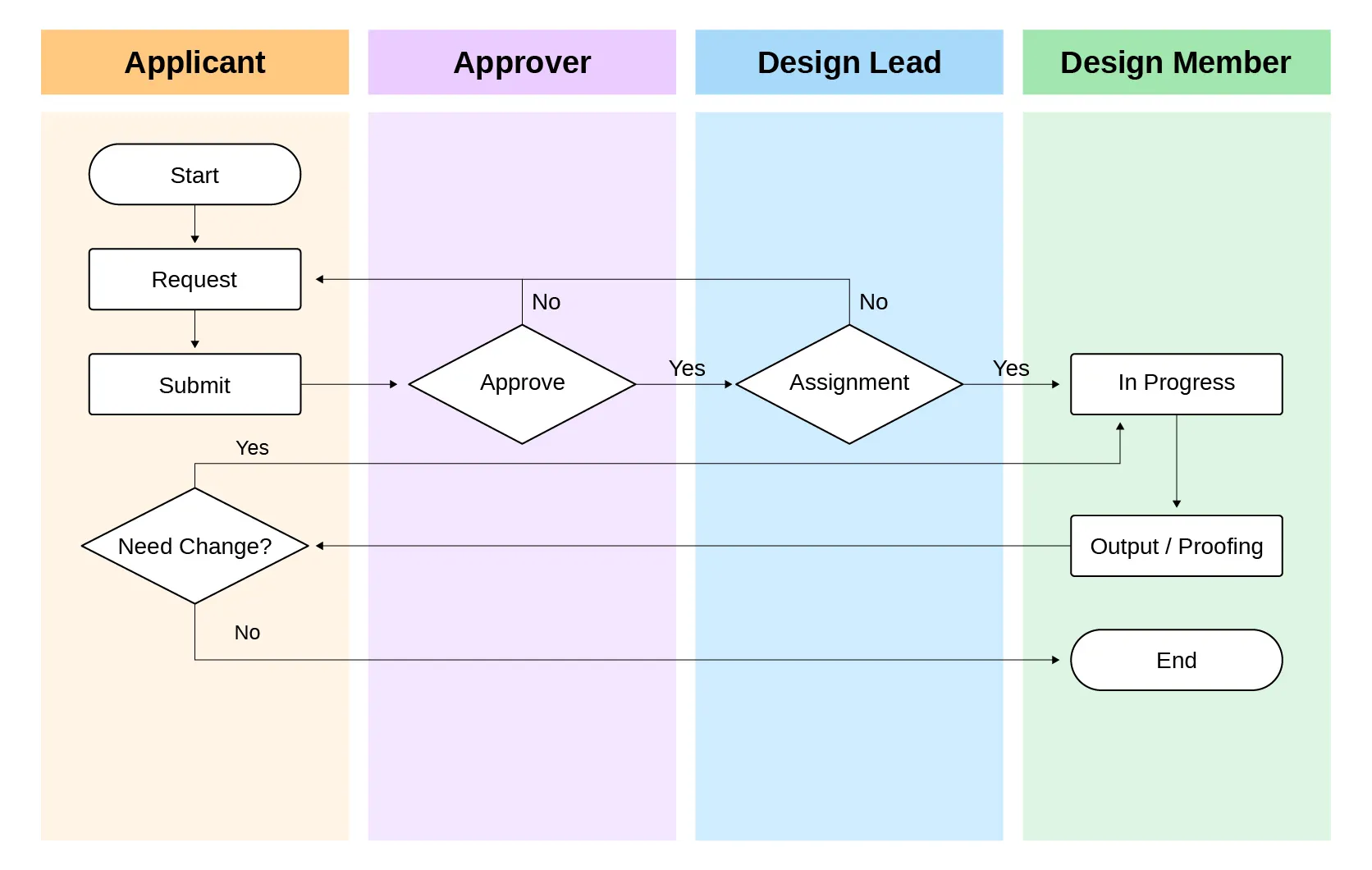
Flowchart
Solution
- Modernized user interface for improved usability and visual consistency.
- Dashboard with card-based design for quick task status and quantity overview.
- Role-specific interfaces and functionalities (Applicant/Approver/Designer).
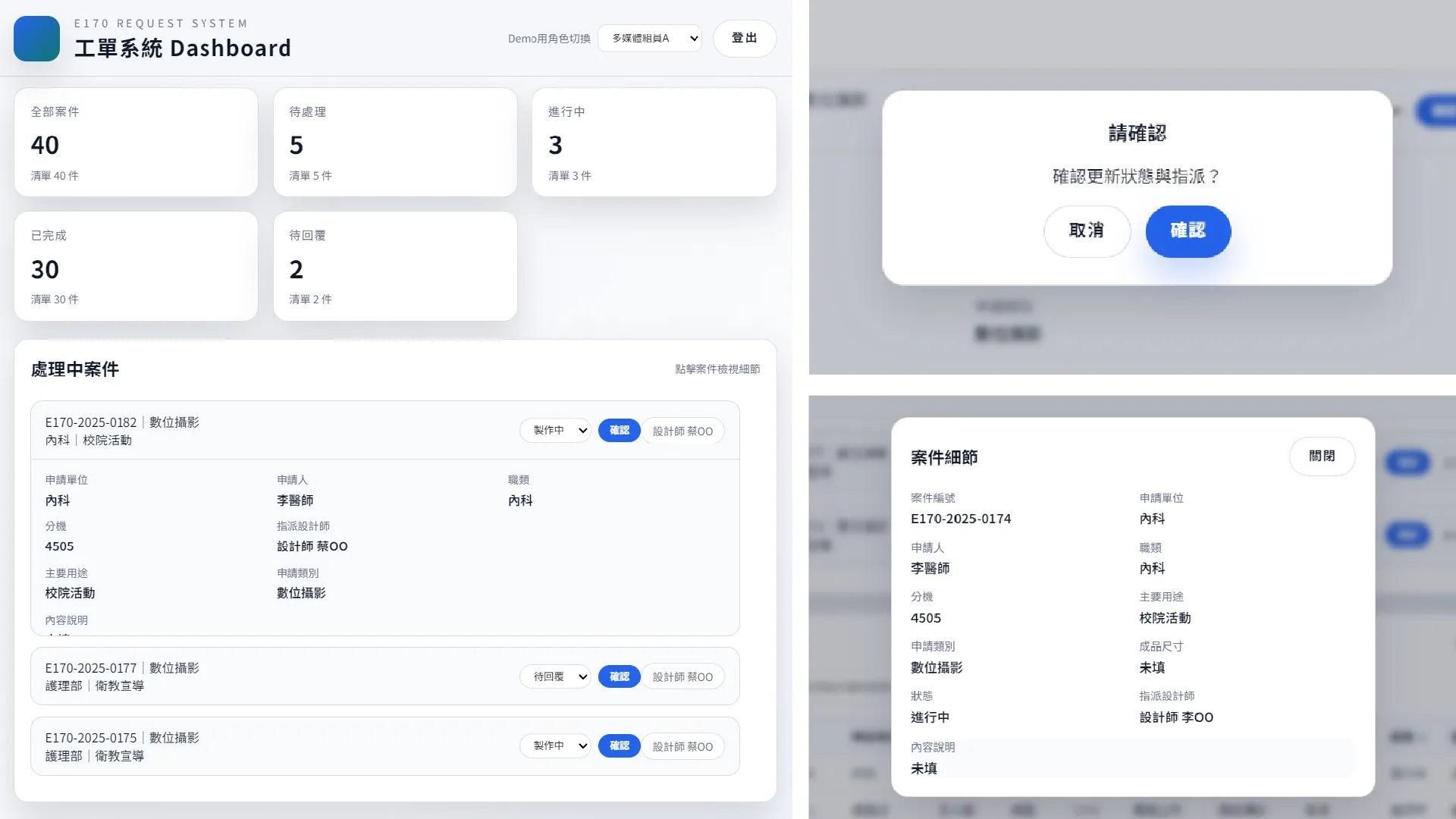
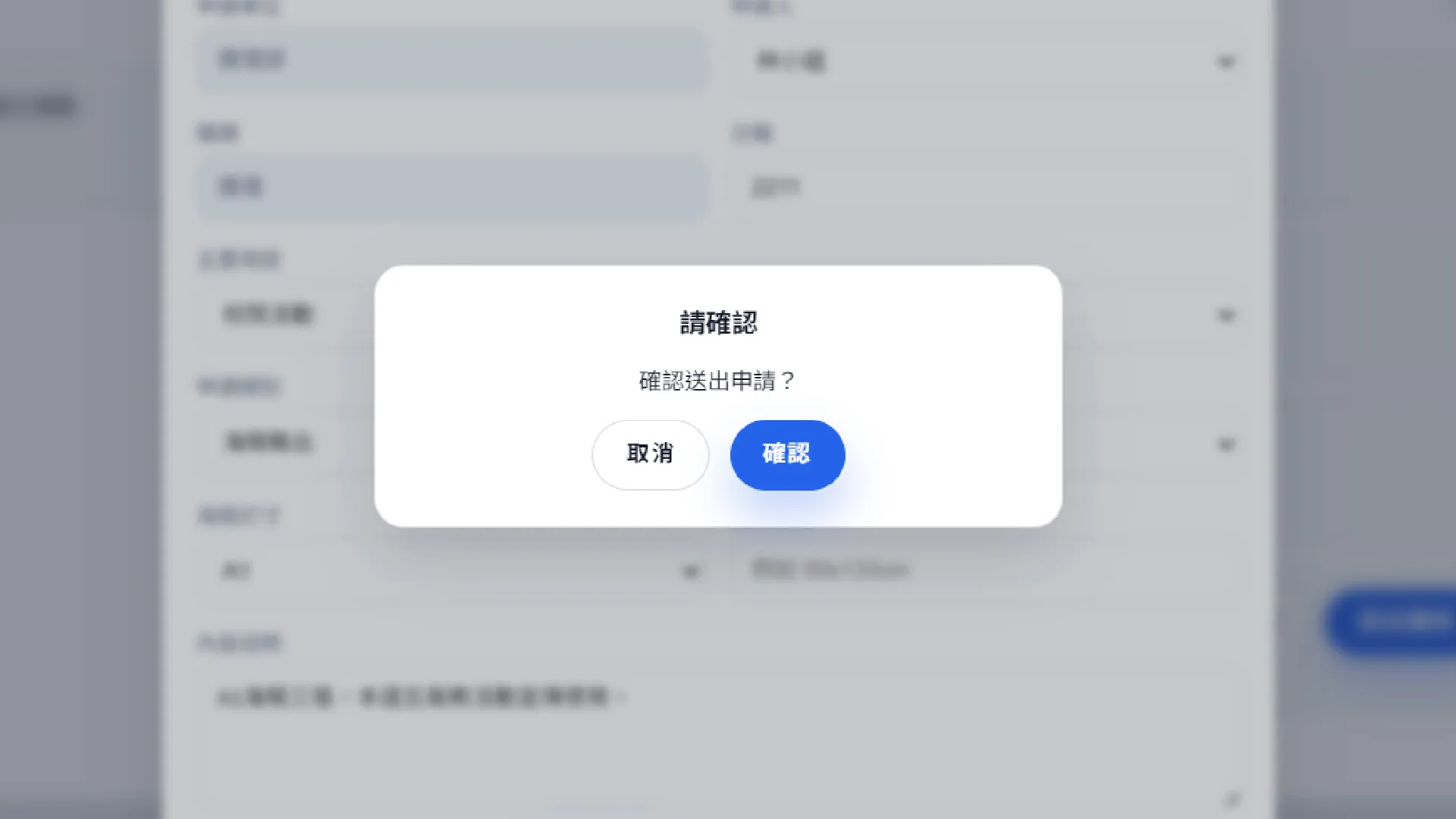
- Each role can only view and manage their relevant cases, supported by confirmation dialogs and clear status indicators for key actions (approve/reject/assign/update).
- Streamlined form submission process to reduce errors and omissions.
- Responsive design for multi-device accessibility.
- One-click report export for easy management and analysis.
Interface Showcase
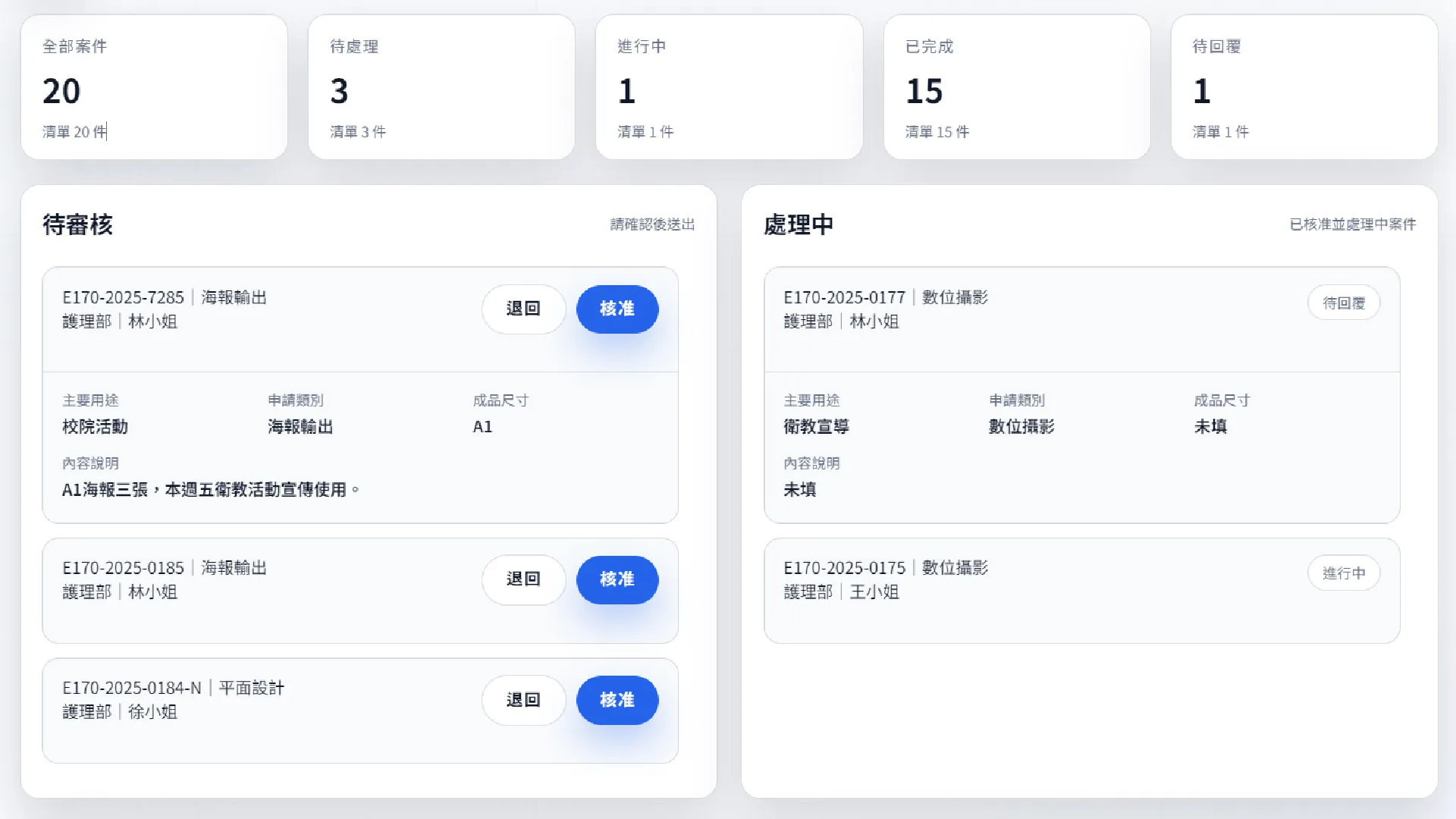
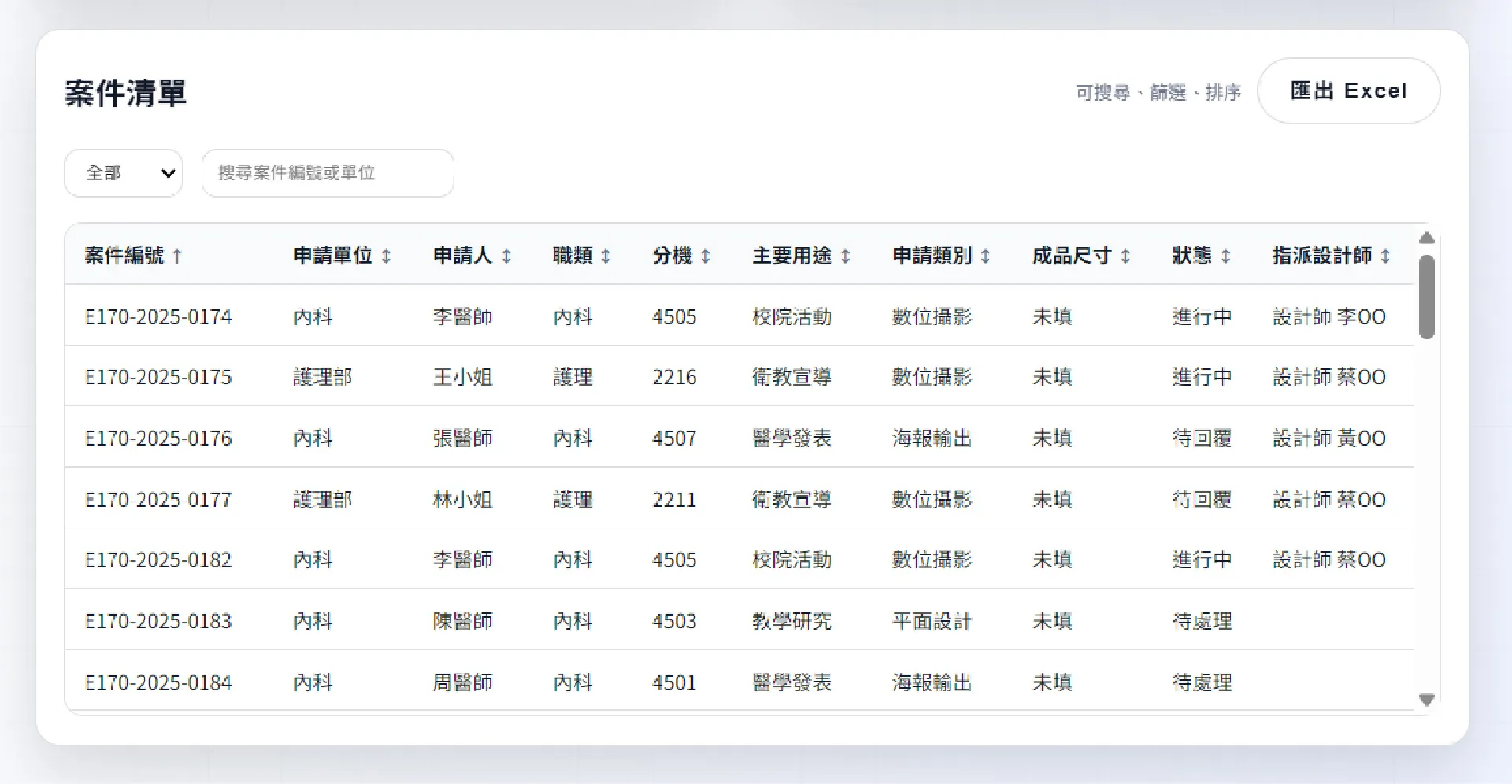
角色導向的設計需求管理系統,讓申請人、審核者與設計團隊能在明確的工作流程階段中協作,並即時掌握案件狀態。
專案背景
原有的需求系統,長年使用下來有幾項問題點:
- 使用者介面不易用
- 沒有dashboard可以快速掌握任務狀態與數量
- 無法直接刪改單筆資料
- 權限區分不清、難以維護
本專案即是嘗試將多年來遇到的痛點,一次性地改善與重構系統架構。
- 舊系統介面
使用技術
使用Vibe Coding進行前後端整合開發,並採用Next.js的App Router架構來實現伺服器元件與客戶端元件的分離,提升效能與開發效率。
- Next.js 14 (App Router)
- TypeScript
- Tailwind CSS
- Prisma ORM
- PostgreSQL
流程圖
解決方案
- 現代化的使用者介面,提升易用性與視覺一致性。
- 儀表板卡片化設計,讓使用者能快速掌握各階段任務數量與狀態。
- 依照使用者角色(申請人/審核人/設計師)提供不同的介面與功能。
- 各角色僅能查看與操作自己相關的案件,並透過確認對話框與明確的狀態指示器來支援關鍵操作(審核/退回/指派/更新)。
- 優化表單填寫流程,減少錯誤與遺漏。
- 響應式設計,支援多種裝置瀏覽。
- 可一鍵匯出報表,方便管理與分析。
系統介面展示